BAND - App for all groups30.2.1
Publisher Description
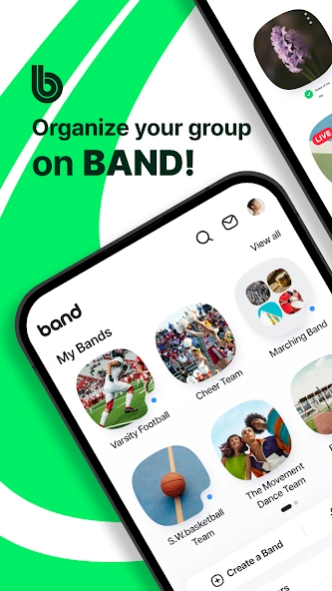


Build Your Team With One App
Organize your group on BAND!
From families and friends to schools and teams,
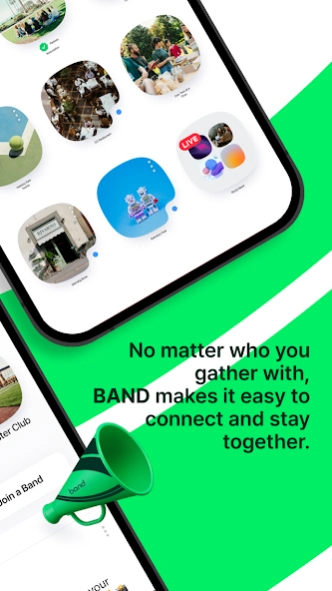
no matter who you gather with, BAND makes it easy to connect and stay together.
◆ Stay in the Loop with Your Group
-See new posts from your groups right on your Home tab.
-Get instant push alerts for new announcements, schedules, or posts so you can jump in fast.
-Receive instant notifications for new posts
-Choose which groups you’d like to get alerts from
◆All Your Events at a Glance
-View and create events quickly right from your Home tab.
-Stay ahead with upcoming schedule reminders.
-Share schedules easily through your group calendar.
-Track birthdays and special occasions so your group never misses a moment.
◆Keep Every Memory Together
-Upload photos and videos to safely store your special moments.
-Organize albums by trips, events, and more!
-Revisit your favorite memories anytime, and relive them with your group.
◆Stay Closer with Real-Time Connection
-Express yourself with Comments and Shouts.
-Even the smallest reactions strengthen bonds and encouragement between members.
-Go Live to connect in real time — no matter the distance.
◆Essential Tools for Every Group
-Use group polls to reach a decision.
-Manage tasks efficiently with To-Do Lists.
-Accomplish goals through Group Challenges.
-Explore more ways to use BAND in the BAND Guide!
From weekly meetups to your big day,
BAND keeps your group connected every step of the way. Connect anytime, anywhere, on any device including your desktop.
Questions or issues?
Please contact the BAND Help Center:
https://www.band.us/cs/help
About BAND - App for all groups
The company that develops BAND - App for all groups is NAVER Corp.. The latest version released by its developer is 30.2.1. This app was rated by 1 users of our site and has an average rating of 3.0.
To install BAND - App for all groups on your Android device, just click the green Continue To App button above to start the installation process. The app is listed on our website since 2026-10-13 and was downloaded 88 times. We have already checked if the download link is safe, however for your own protection we recommend that you scan the downloaded app with your antivirus. Your antivirus may detect the BAND - App for all groups as malware as malware if the download link to com.nhn.android.band is broken.
How to install BAND - App for all groups on your Android device:
- Click on the Continue To App button on our website. This will redirect you to Google Play.
- Once the BAND - App for all groups is shown in the Google Play listing of your Android device, you can start its download and installation. Tap on the Install button located below the search bar and to the right of the app icon.
- A pop-up window with the permissions required by BAND - App for all groups will be shown. Click on Accept to continue the process.
- BAND - App for all groups will be downloaded onto your device, displaying a progress. Once the download completes, the installation will start and you'll get a notification after the installation is finished.
Program Details
System requirements
Download information
Pricing
Version History
version 30.2.1
posted on 2026-10-13
Archive Your Bands
When a season ends, archive your Band! The Band becomes read-only; it stays exactly as it was, ready to look back on whenever you want.
Share Invite Codes
Share a code instead of a link. New members will be able to enter it under Join a Band.
Invite External Attendees to Events
People outside your Band can now RSVP with just an email verification without having to create an account.
version 29.2.1
posted on 2026-08-24
Starting a new group just got easier!
Start a new Band without starting from scratch.
Create a New BAND with Existing Settings
Reuse the settings from one of your existing Bands when creating a new one.
Need to make changes? You can update your settings anytime in Band Settings.
Remove Multiple Members at Once
Want to keep your Band but start fresh with new members?
Use the Remove Multiple Members feature to bulk remove members and invite your new members.
version 29.1.0
posted on 2026-07-23
Meet the New BAND Calendar
See your calendar and upcoming events together in one place and RSVP instantly for each event.
Sign-up sheets can now be added to events! Manage sign-ups and track participation without having to create a separate post.
Bring attendees together before and after the event with group chats dedicated to the event and capture every moment by sharing photos and videos in the event album.
version 28.0.7
posted on 2026-06-12
Check Notices from the Posts Tab
Find notices in the Posts tab for easier access. Stay up to date with important news more easily and quickly.
Access Closed Chats
Even if you’re no longer in a chat or it’s been deleted, you can still view and export your past conversations.
Go to Home > Chat tab > tap “Closed Chats”
Set Up Email for Account Recovery
Add your email to change your login method or recover your account if you lose access.
version 27.0.5
posted on 2026-05-08
Create your Band in seconds! Just enter a name and choose your privacy settings.
Add a category icon that fits your group perfectly.
Leave a short message for your members!
Your message will appear next to your Band’s cover photo.
Need to notify everyone at once?
Simply type “@everyone” to mention all members instantly.
The Repost feature is here!
Copy your post including text and attachments and share it again quickly and effortlessly.
version 26.1.5
posted on 2026-02-27
Find Your Notices More Easily
Notices will now also appear at the top of your Posts tab.
Add Notices in One Step
Mark a Post as a Notice while you’re writing it.
Clear All Red Dots at Once
Tap the Unread button at the bottom to "Mark All as Read".
New Way to Remind Members
Admins can now send News Notifications to members. Just tap "Send Notification" in a post.
There’s a daily limit on emails to non-members when you use the “Send SMS/Email Notification” option.
version 24.2.2
posted on 2025-10-22
Email Notification Settings Just Got Easier
Turn on email alerts for new posts today!
Get a summary of missed posts by email in a weekly recap.
version 23.0.4
posted on 2025-08-05
See new posts directly in the all-new Notifications Tab.
Filter and choose updates including @mentioned comments and event notifications.
Change push notification settings for multiple Bands all at once!
Check it out in My Profile > Settings.
Enable daily alerts so you never miss an update!
We’ll notify you of any unread updates at 10 AM every day.
Notification Settings for Members’ feature has been discontinued for Admins.
Please contact the Help Center for any questions.
version 22.1.3
posted on 2025-06-30
Create a Band that Fits Your Group!
Easily customize initial settings to suit your group's purpose.
Members Can View the Band's Settings
Members can now easily view key details in the Band Settings menu.
See All Invites in One Space
Admins can now check who invited whom—and even see why an invite was deleted.
Easily Identify AI-Generated Photos and Videos
When uploading, you can label content as AI-generated. Even after posting, you can check with the "View AI Info" feature.
version 21.0.4
posted on 2025-03-19
Say hello to the new and improved BAND Invites!
Preview invites before sending them out. Plus, every invite includes a QR code.
Waiting to be accepted into a Band?
See your pending requests directly on the BAND Home Screen.
Tracking your Group Challenge progress is now easier!
Tap 'My Progress' to view your check-in history on the calendar.
Stay on top of your uploads! Photos you've already uploaded are highlighted, making it easy to keep track.
